Intercom: bringing Salesforce data into support
A two-way Salesforce sync, so support agents see fresh customer data and larger customers can make Intercom their main support tool.
- Company
- Intercom
- Year
- 2022
- Team
- Design and Engineering, with no PM on V1
My role
Led product design end to end, and took on the PM role: research, system model, design, QA, beta and documentation
Outcome
- By 2024, 66% of Salesforce app installs actively syncing People data (~$19m in ARR)
- Cited as a key win factor in multiple six-figure ARR deals
- Strongest adoption among enterprise and mid-market customers
Problem
Larger companies keep their customer data in Salesforce, their source of truth. Intercom’s integration didn’t keep up, so human agents hunted for data in Salesforce while answering customers in the Inbox, and companies paid for a Salesforce licence per agent just to look things up. Some built their own integrations.
For Intercom, it was a business problem:
- Lost deals. Intercom won only 8% of deals against its main competitor.
- Churn. It was the top reason in 34% of churn interviews, and consistently the #2 problem in Sales reports.
The Intercom native Salesforce integration never was up to scratch. That was one of the main reasons we actually then ended up cancelling Intercom.
Former customer
Solution
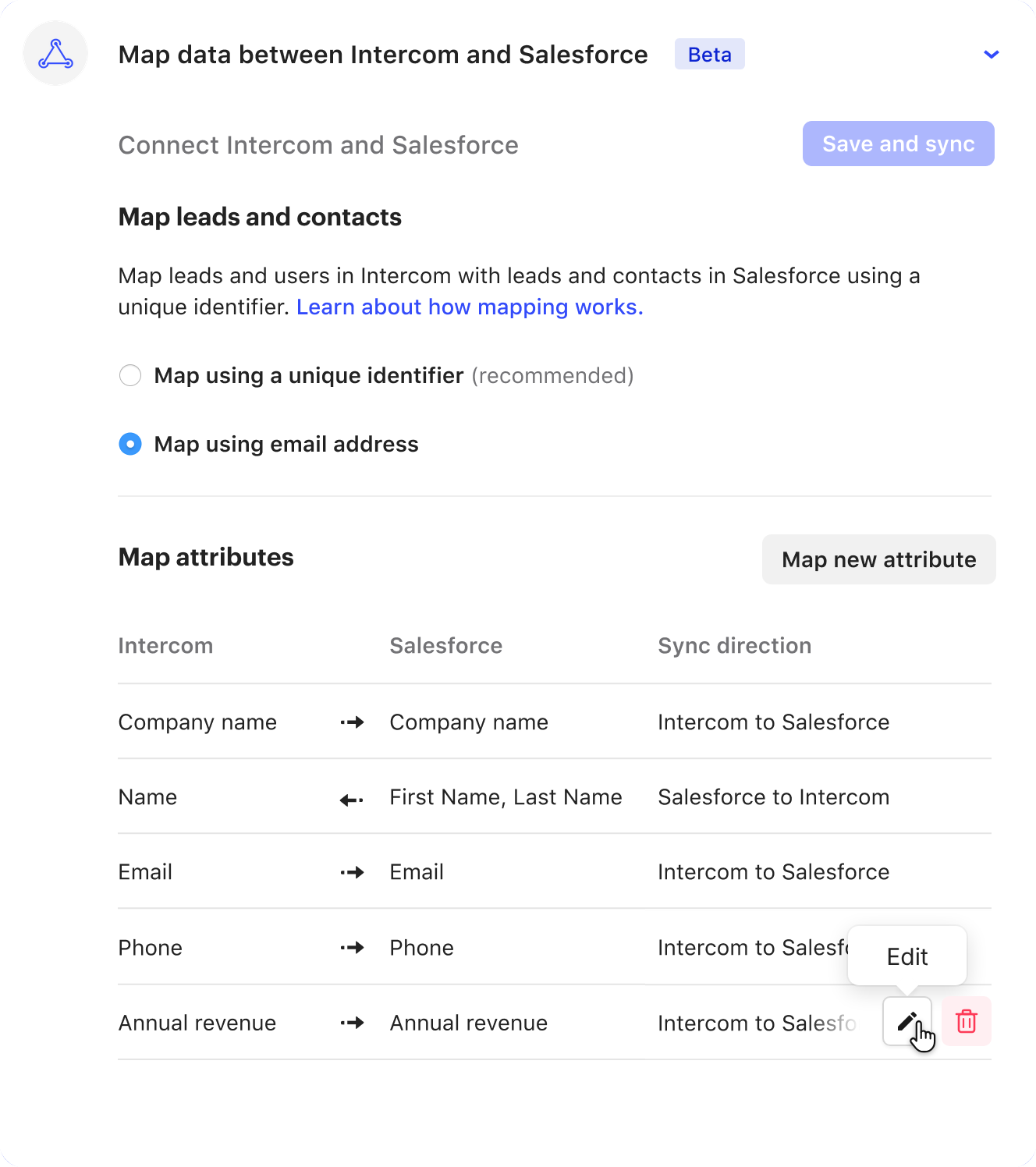
A Salesforce integration app that keeps leads and contacts in sync between both products, so support agents see fresh Salesforce data in the Inbox. Customers choose how records are matched and which fields sync, each in its own direction. Event-based sync keeps data fresh, and a bulk sync brings existing records across.
Key decisions
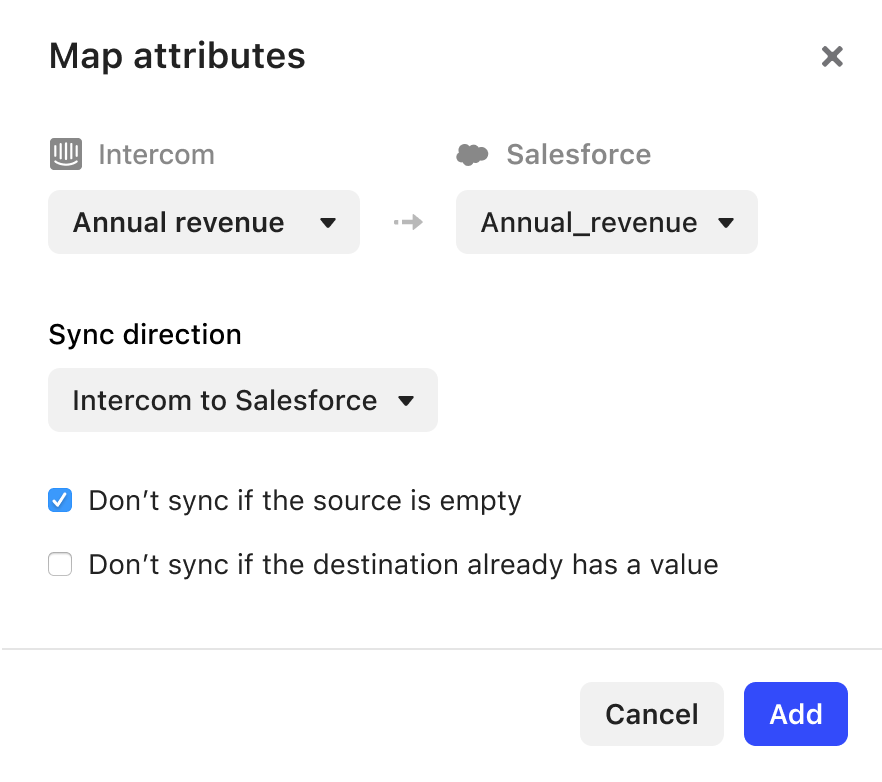
- Flexibility in how and what to sync. Salesforce is one of the most customisable CRMs there is, and customers’ setups differed widely, so one opinionated flow wouldn’t work. The cost was more configuration, so I split it into clear parts: how records match, what syncs, and the sync itself.
- Build on the app, not core settings. Core settings would have signalled a critical integration and given more room in the UI, but raised scalability questions and a bigger scope. I recommended building on the existing app in the App Store: a pattern customers already knew, shipped faster, at the cost of working inside a modal.
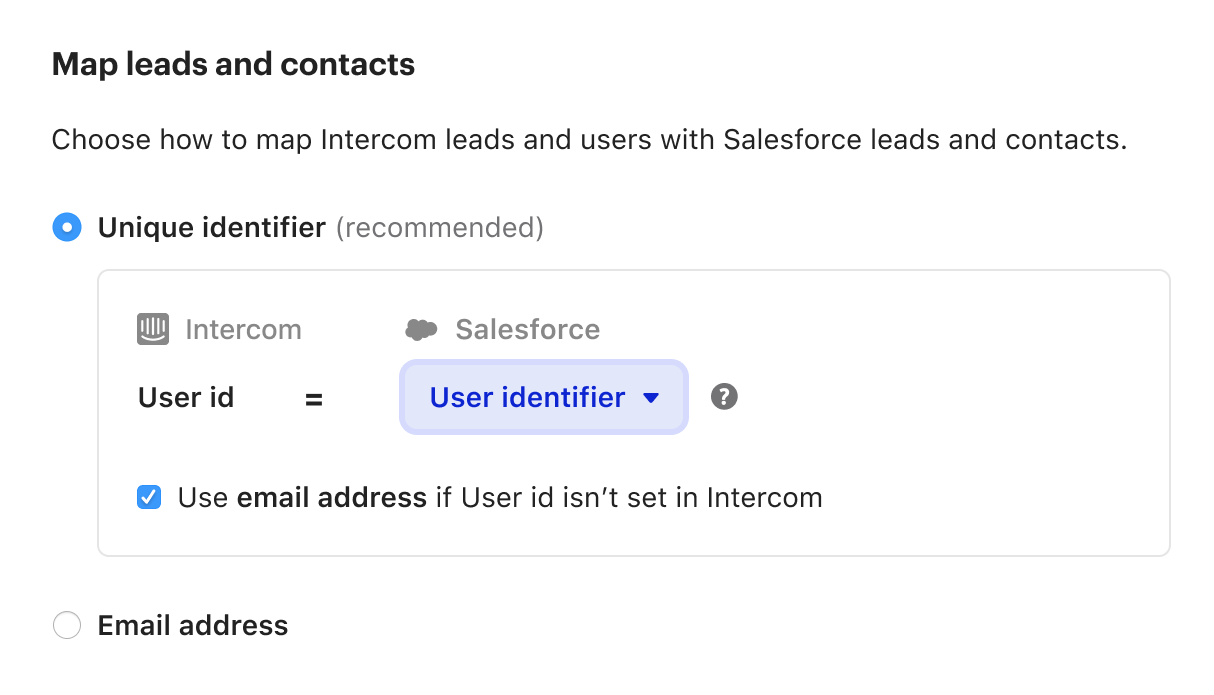
- Unique ID recommended, email as a fallback. Matching on a unique identifier is safer, but many customers already matched on email. I made the ID the recommended option and kept email so they didn’t have to change how they worked.
- One direction per field. Rather than letting both products overwrite the same field, each mapping syncs one way, from Intercom to Salesforce or back. That kept the data trustworthy while still giving two-way sync across the integration. I also designed for the edge cases: incompatible types, read-only fields, and compound fields like full names.
How I led it
I was the product designer, working with an engineering manager and engineers. With no PM on V1, I also took on the PM role.
- Started from customer jobs. I ran customer interviews through discovery, beta and iterations, and led a workshop to turn jobs into stories and features. Three jobs shaped everything: consistent data across both systems, a full view of the customer during a conversation, and support for their own workflows.
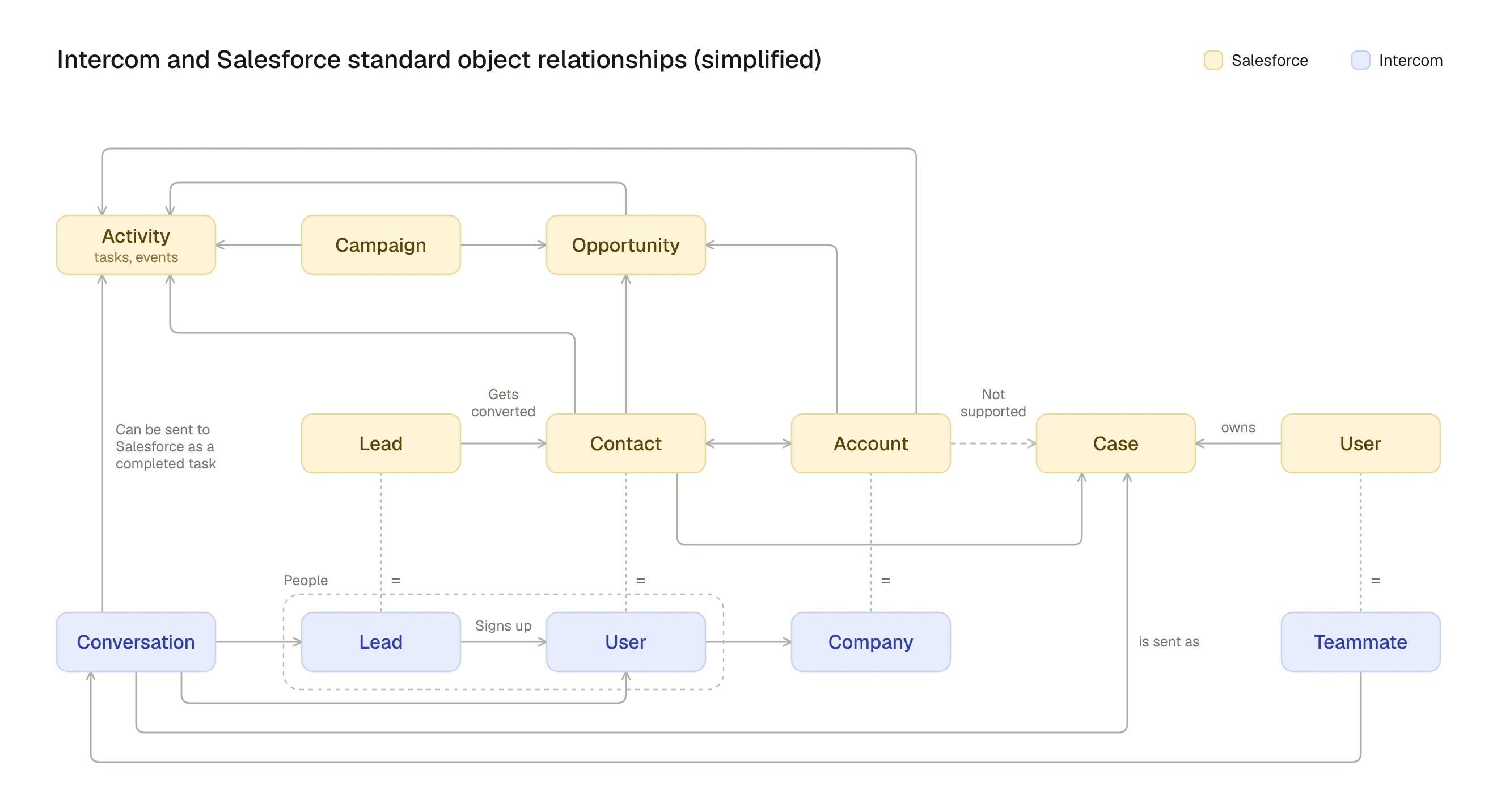
- Modelled the system before the screens. To design the sync, I first had to understand every object in both products, how they relate, and which relationships were possible. I mapped how data flows between them and iterated on it with other teams. It became the reference engineers worked from, gave everyone a shared vocabulary, and surfaced impacts on other parts of Intercom early.
- Made data integrity the first priority. A sync bug can corrupt a customer’s data. I led a pre-mortem before release and improved the QA system with the engineering manager, testing every mapped field and direction at the data level. Later releases reused it.
- Drove the release. I wrote the beta plan, recruited beta customers, co-ran the beta sessions, and wrote the public documentation.
Outcome
By 2024, 66% of Salesforce app installs were actively syncing People data, about $19m in ARR. Enterprise and mid-market were the strongest segments, which confirmed the target. The integration was cited as a key win factor in multiple six-figure ARR deals, including a customer previously lost over a Salesforce gap. Later versions built on this foundation, adding case creation and API usage limits.
Reflection
With no PM on V1, I took on the role alongside design. It stretched me: I had to decide when to zoom out to scope, priorities and the release, and when to go deep on the details of the sync. Doing both made my design decisions sharper, because I owned the trade-offs behind them, and it’s how I still work: thinking about the product and the business, not just the screens.